Employee data that the payroll run can actually trust
Every person, contract, absence and certificate in one record — shared with the operations side, so the schedule knows who is available and payroll knows what to pay.
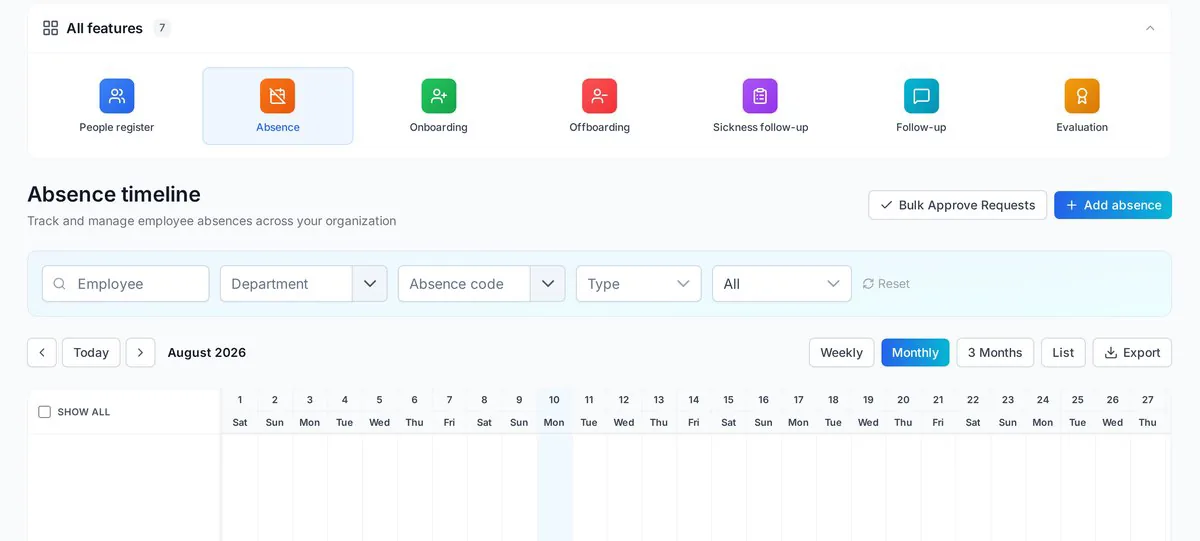
What sits inside People HR
From hiring to offboarding, without a parallel spreadsheet.
One record per employee: role, contract, documents, equipment and next of kin.
Requests, approvals and balances that feed straight into the hour log.
Checklists that create accounts, hand out equipment and close access on the last day.
Expiry dates tracked, with reminders before a certificate lapses.
Documents every employee has confirmed reading, with a date on it.
Hours from the field, corrected by a manager, exported to payroll.
One workspace for the whole payroll month
A team approval overview, a personal timesheet with month, week and day views, and a full time bank: overtime can accrue as time off, be split between payroll and the bank, and be paid out through a chosen month's salary run.
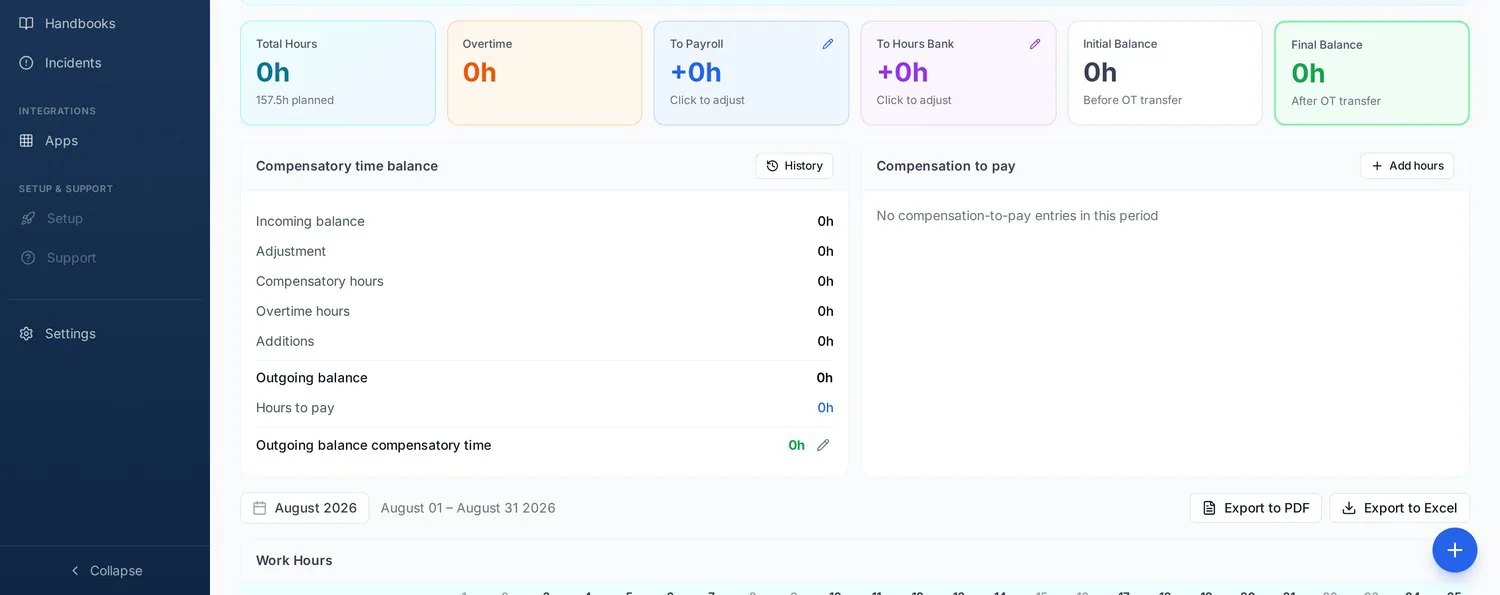
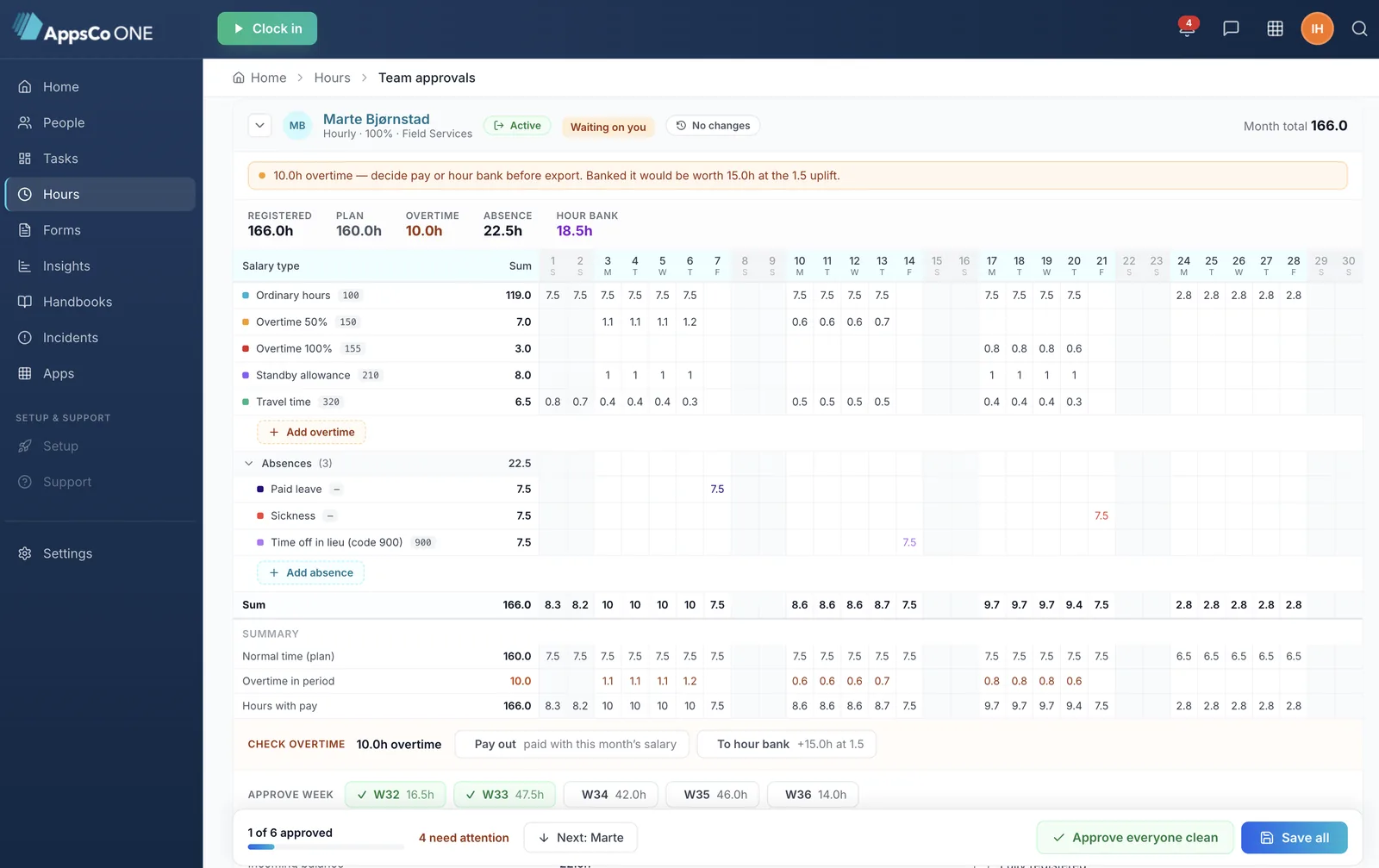
Plain overtime hour for hour, percentage overtime (50/100/150/200 %) with its bonus part on top — and banked hours excluded from the salary export.
Corrections fold into the row sum, the month total and the deviation at once, with the reason captured in the same dialog.
A month running the 9th to the 8th prints its exact span, and screen, approval, PDF and Excel all use that same period.
Every movement in the month — payouts, allocations, absences taken from the bank, corrections — with date, wage type, who made it and a running balance.
Why it matters for field operations
HR data is operational data when your people work off-site.
Absence is visible in the plan, so nobody is assigned to a route they cannot run.
Signed policies, certifications and working-time records in one export.
Approved hours leave AppsCo once, in the format your payroll system expects.
See People HR on your own org chart
Bring an anonymised employee list and we will show the directory, absence and hour export with your structure.