Contracted visits generate themselves. Extra work never falls through.
Every job your contracts promise is scheduled automatically. Everything extra that happens on site is captured where it happens — with a photo, a timestamp and a price — so it reaches the invoice instead of somebody's memory.
If this sounds like your week, this page is about you
Three problems every operations manager in cleaning and maintenance recognises.
A client calls about a missed visit and you have to ring three people to find out what happened.
Extra work gets done, noted on a slip of paper, and quietly disappears from the month's invoice.
Site know-how lives with one person. When they're off, quality drops and questions pile up.
From contract to approved, invoiced work
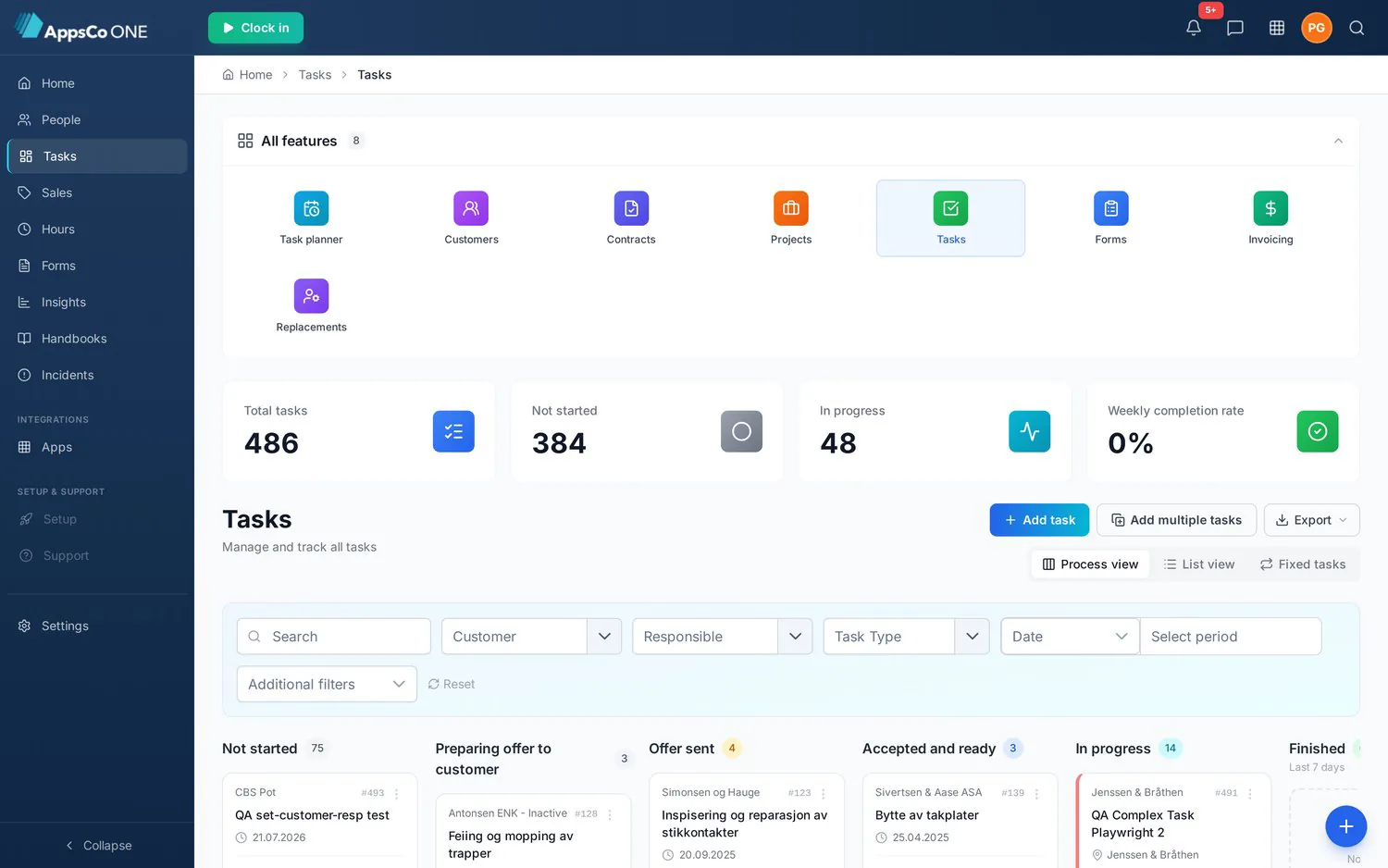
Four states, and the system moves the job between them.
Agreed frequency, sites and scope become recurring tasks — weekly, monthly or seasonal — without anyone rebuilding a schedule.
The task carries the site's know-how, equipment and checklist to the worker's phone. New people can cover a site on day one.
Completion is time-stamped and photo-documented. Anything unexpected is logged as extra work or a deviation on the spot.
A leader approves deviations, and the work becomes an order line with margin in your ERP — same week, not next month.
One screen for everything that needs a decision
Deviations waiting for approval, jobs at risk of being missed, hours to confirm and extra work ready to invoice — in one list, sorted by what costs you money first.
What's inside
Recurring contract work plus one-off jobs, priced and billable.
What didn't go to plan, why, and who approved the change.
Templates per contract, site and job type — reusable across teams.
Access codes, keys, contacts and site quirks stored with the site.
Your services and rates, synced with the ERP, used to price extra work.
Weekly client report, leader KPIs, contract profitability per site.
“It streamlined employee data and tasks and saved us time and money. Our invoicing improved after we started using AppsCo.”
Approved work becomes an order line in your accounting system — no export, no re-typing.
The recurring plan, the task, the checklist and the order line are one chain
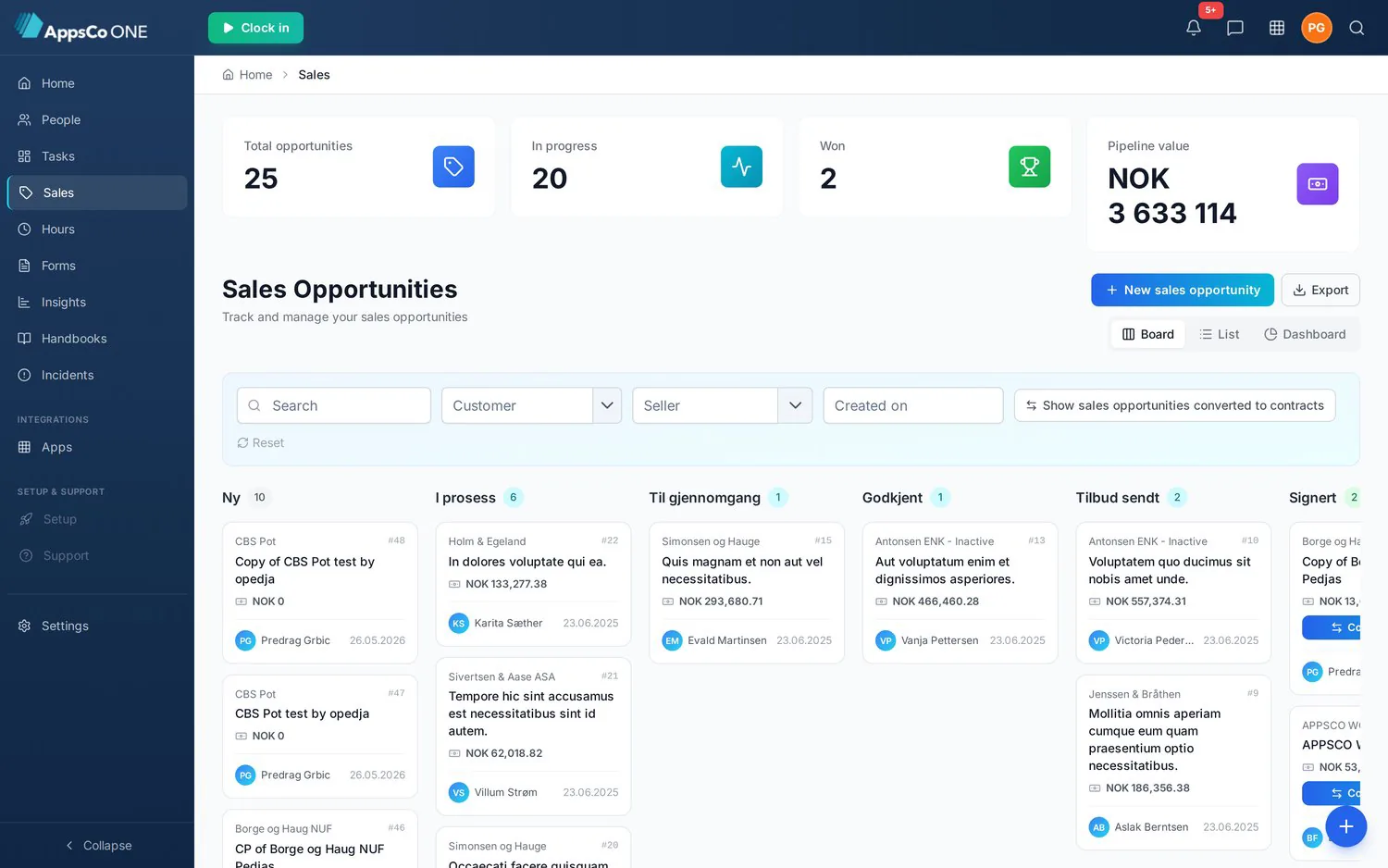
A contract's recurring plans generate the field work, the checklist tells the crew what to do, and finished work turns into billable order lines — and a won offer becomes that contract without anything being retyped.
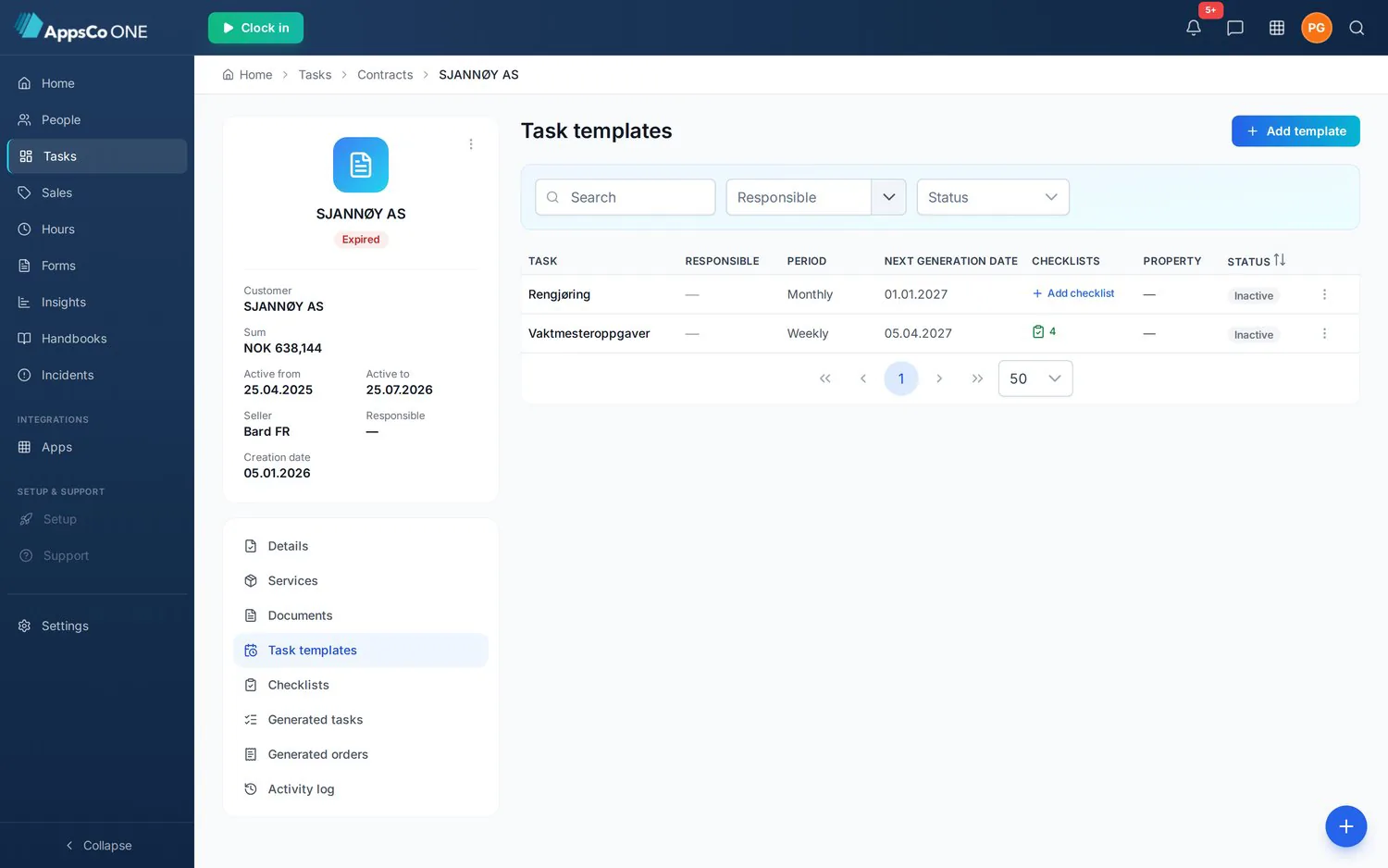
Details with signature, services and pricing, documents, task templates, checklist, generated tasks, generated orders and the activity log.
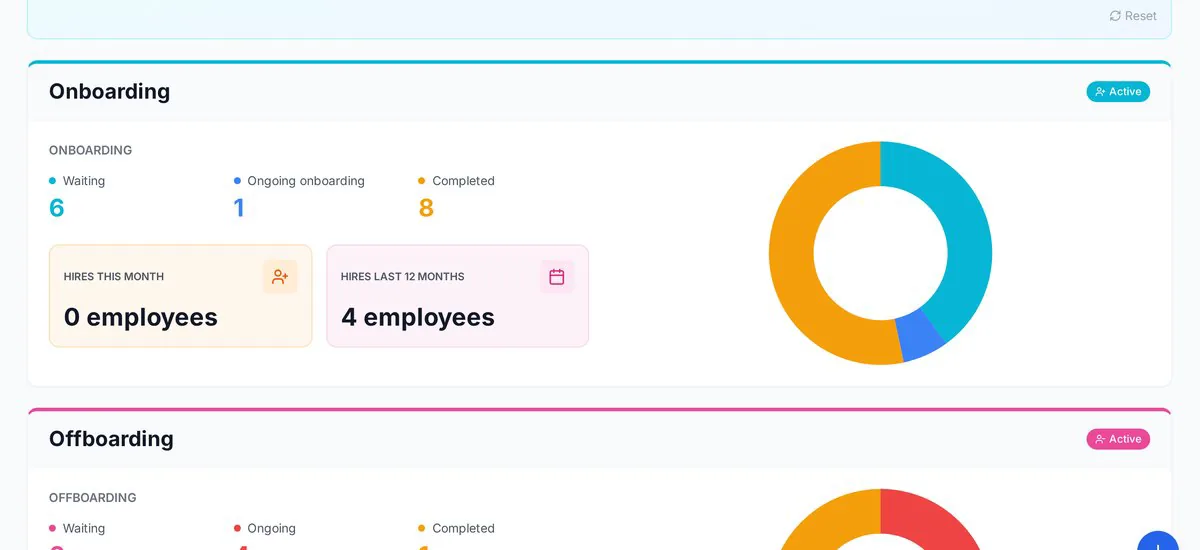
Set the details once, tick customers in a searchable grid, assign a responsible person per customer, and see exactly how many tasks will be created.
Dropping a card into Finished is refused while mandatory checklist items are still open — with a clear warning instead of a silent pass.
Services, checklist, documents, signature and activity per opportunity — and converting a won offer lands you on the new contract.
Bring one contract to the demo
We'll set it up live — sites, frequency, checklists and prices — and show you the week it produces.