The worker opens the phone and knows exactly where the day goes
A route template becomes a real day: locations in order, tasks per site, automatic clock-in on arrival. You see live where each team has got to — and how long they stayed.
Set the template once, run the week
Four steps — and nobody rebuilds the plan every Monday morning.
Group the sites that belong together, set the order and the days they're served.
The system produces real routes for the chosen date range, with tasks attached per location.
The route card sits at the top of the day; the worker moves down it location by location.
Someone off sick? Reassign the route to another worker and the day continues.
One screen the whole shift
No calls to the office to ask what's next, no paper list in the van. The route card is the day, and everything the worker needs — access codes, equipment, checklist — travels with each location.


Arrival and departure logged without anyone typing anything
When a worker enters the site zone, the clock starts; when they leave, it stops. The result is an hour log you can defend in front of a client, an auditor or a payroll run.
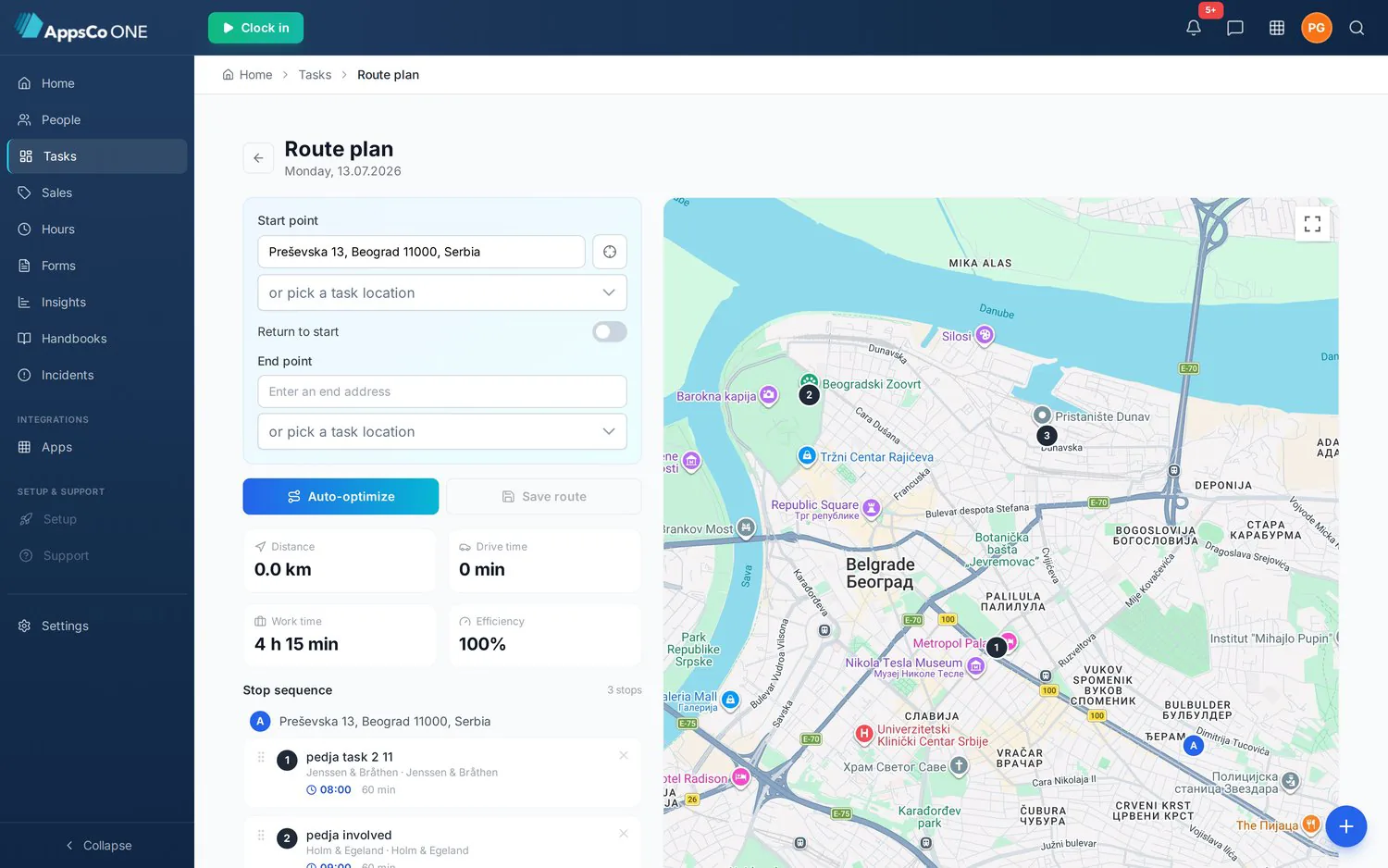
Pick an employee, press Plan route, and the day comes back optimised
Choose the start point — any address, one of the day's locations or your current position — and whether the day ends where it started. The system orders the stops, draws them on the map and gives you distance, drive time, working time and an efficiency figure for the whole day.
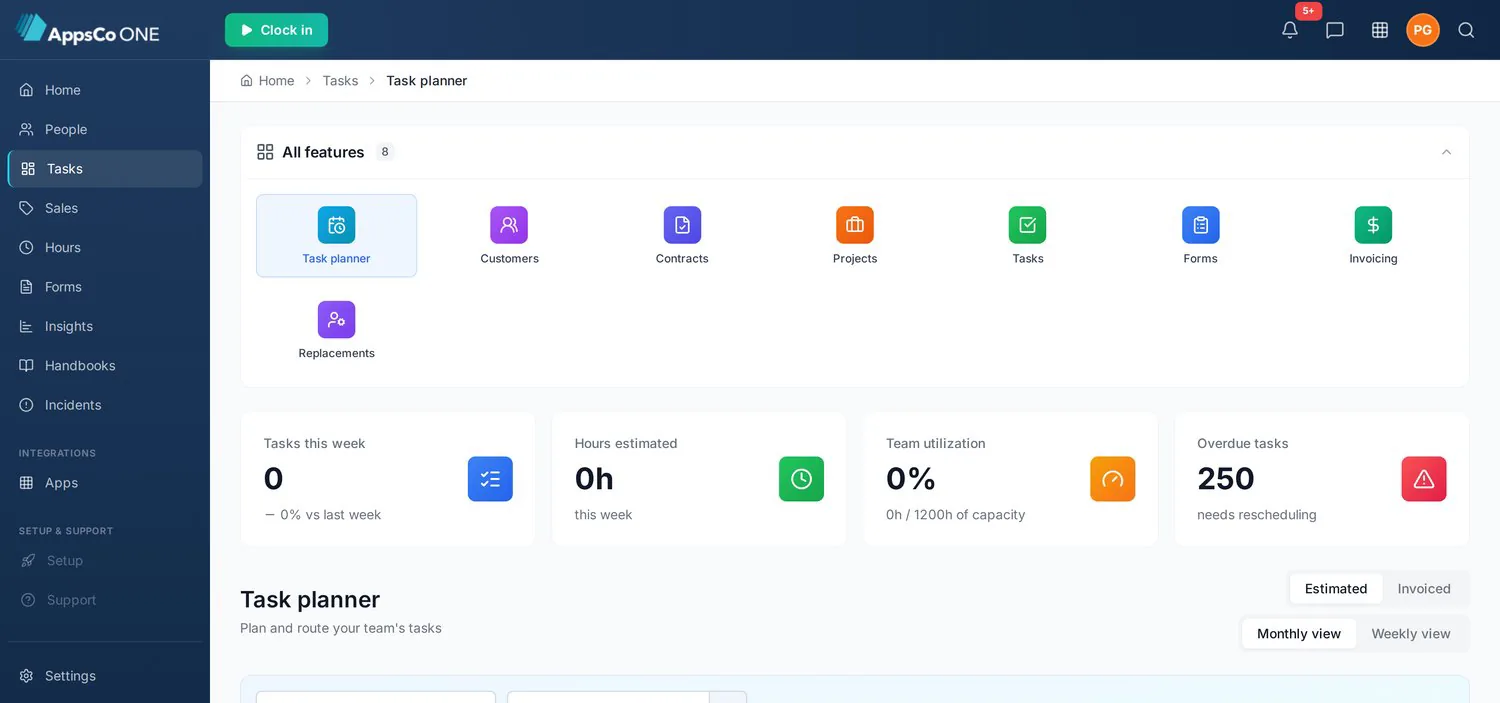
Holidays and sick leave appear in the grid in their absence-code colour, pending requests are striped, and work planned on an absence day is outlined in red as a conflict.
Each stop's calculated arrival becomes the task's start time — travel included, rounded to clean quarter-hours, chained stop by stop using live traffic.
Move or re-estimate a task and the day turns amber and reads Needs update, showing the old value beside the new one per stop before you recalculate.
The route the office builds is the route the technician opens
Five fixed tabs — Home, Schedule, Chat, Map and Time — put the working day one tap away. The stop sequence carries arrival times and drive time to the next job, with running counts of completed, in progress and remaining; it can be re-optimised or reordered by dragging, and switched to a map at any point.
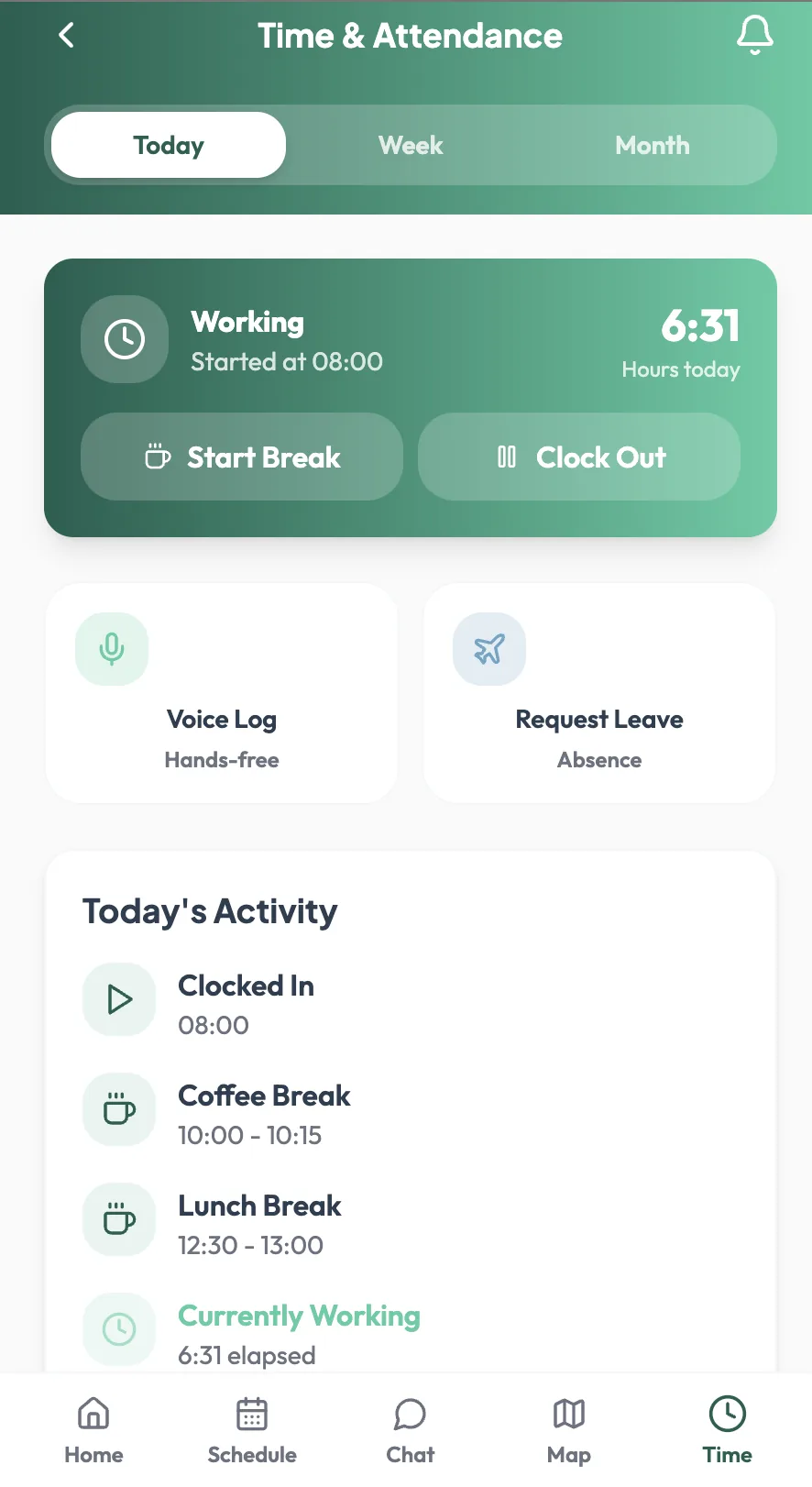
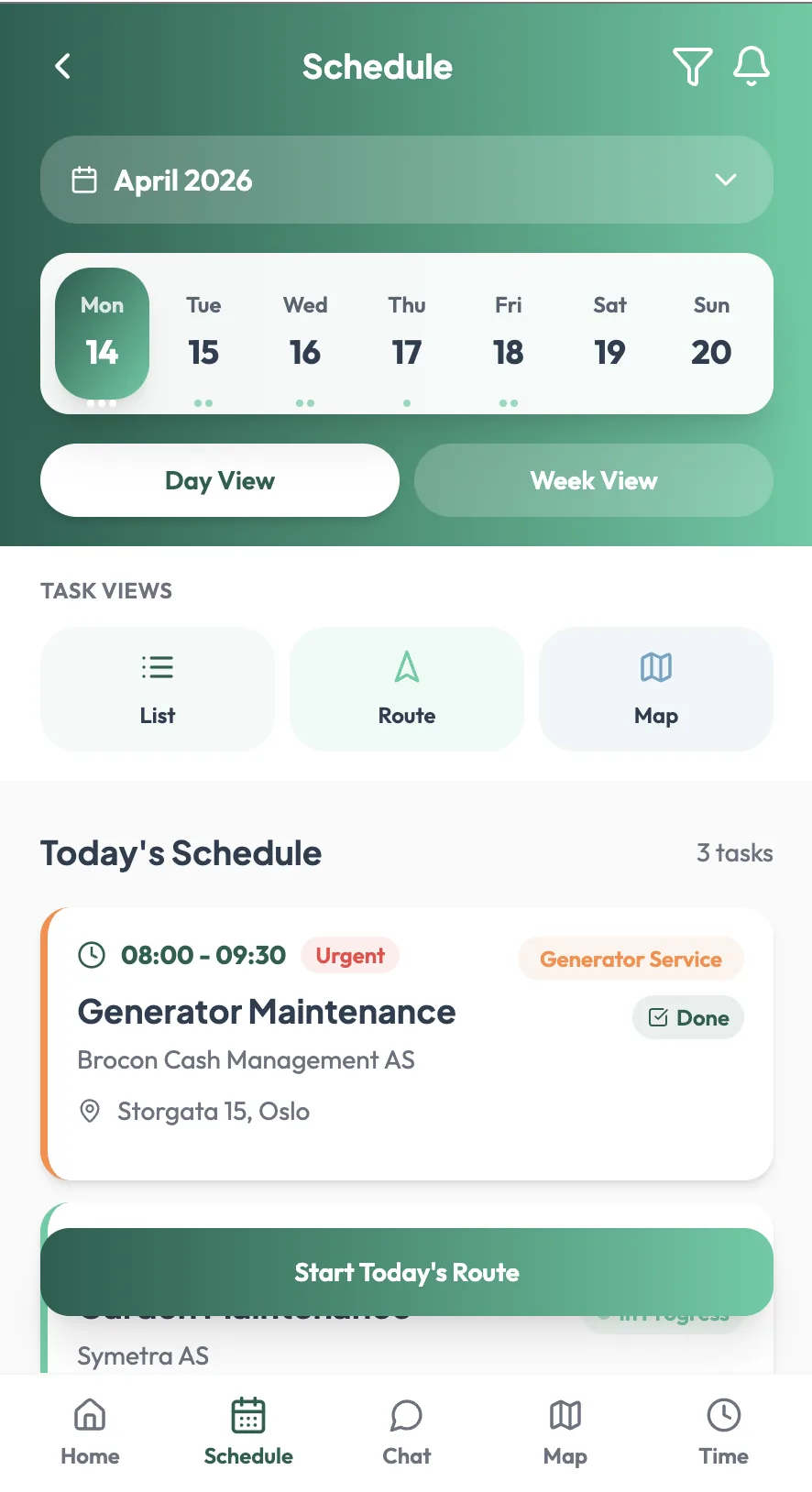
A voice assistant on the home screen and voice logging in Time & Attendance let hours and notes be registered without taking gloves off.
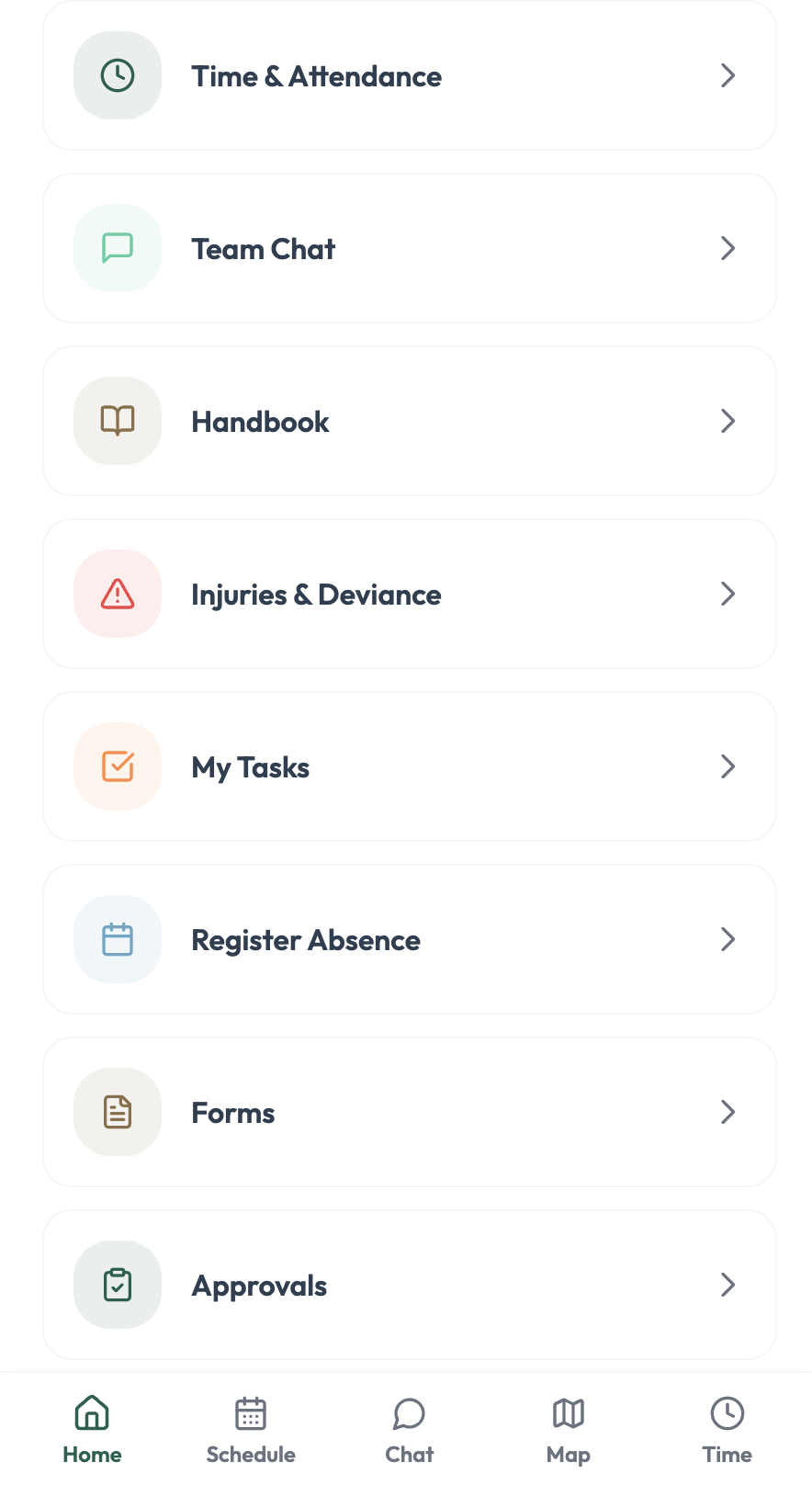
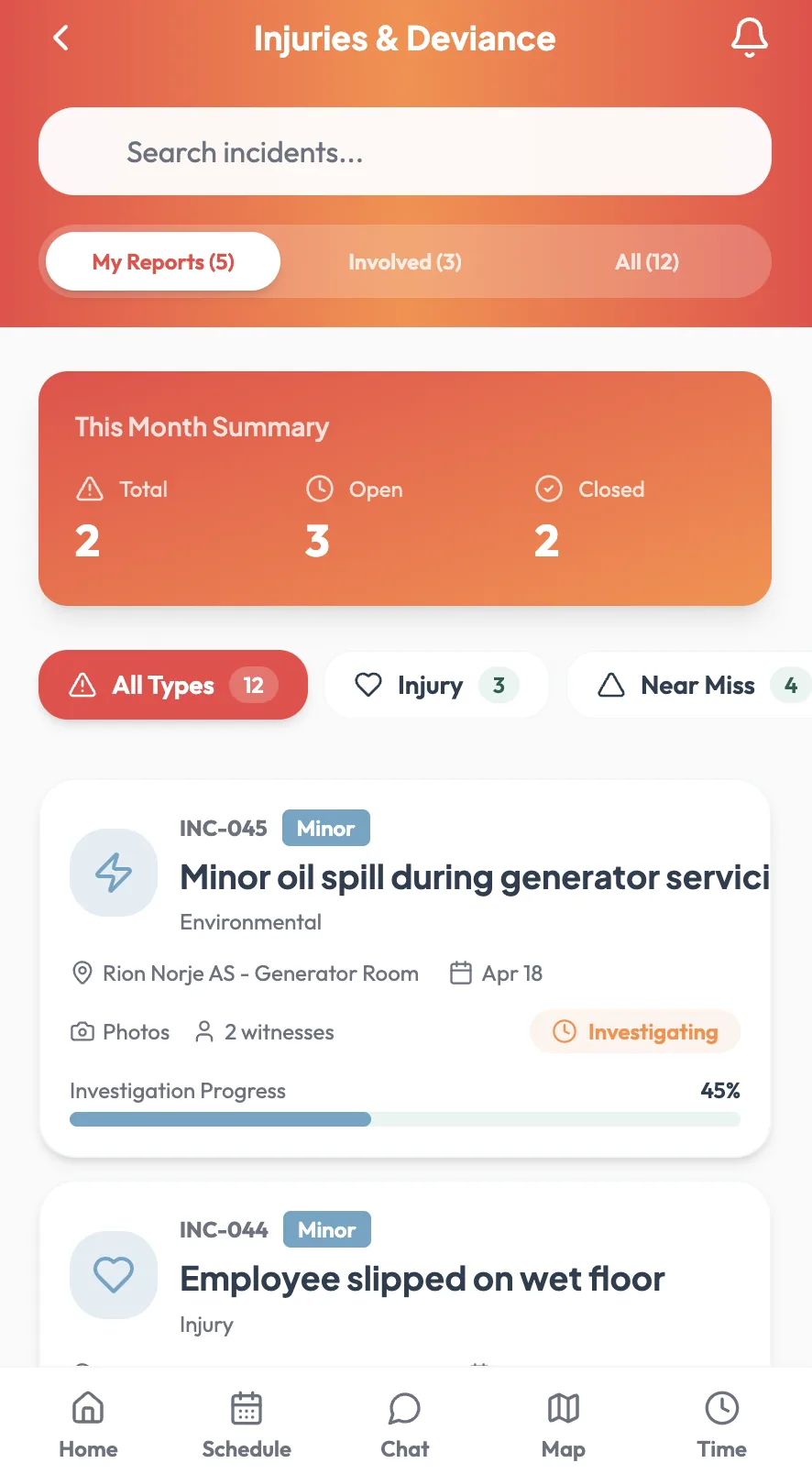
Team chat, the handbook, checklists, absence registration, forms and approvals — plus incident reporting with photos, so what happens on site is reported from site.
Hours registered on a phone are the hours the leader approves, against the same plan and the same wage types as the web application.
The first question your employees will ask
Location tracking only works if the people being tracked accept it. So we make the boundaries explicit, and you set them — not us.
Their own route, their own hours, their own completed tasks — and the same log their manager sees. Nothing hidden from them.
Site status, arrival and departure per location, and completion confirmations — within working hours, not around the clock.
Privacy policy settings per company, who has which role, how long location data is kept, and what is switched off entirely.
In the EU, under a DPA, GDPR compliant. Documentation available for works-council and public-sector review.
What routes let you measure
Numbers that decide whether a contract is worth renewing at the same price.
Where the driving — and the fuel — actually goes.
Real minutes per location against what you priced.
Caught the same day, not in a client complaint.
Whether a round can take one more site — or one fewer.
Bring one of your own routes to the demo
Give us the sites and the order you serve them in — we'll build the route live and show you the day it produces on the phone.